
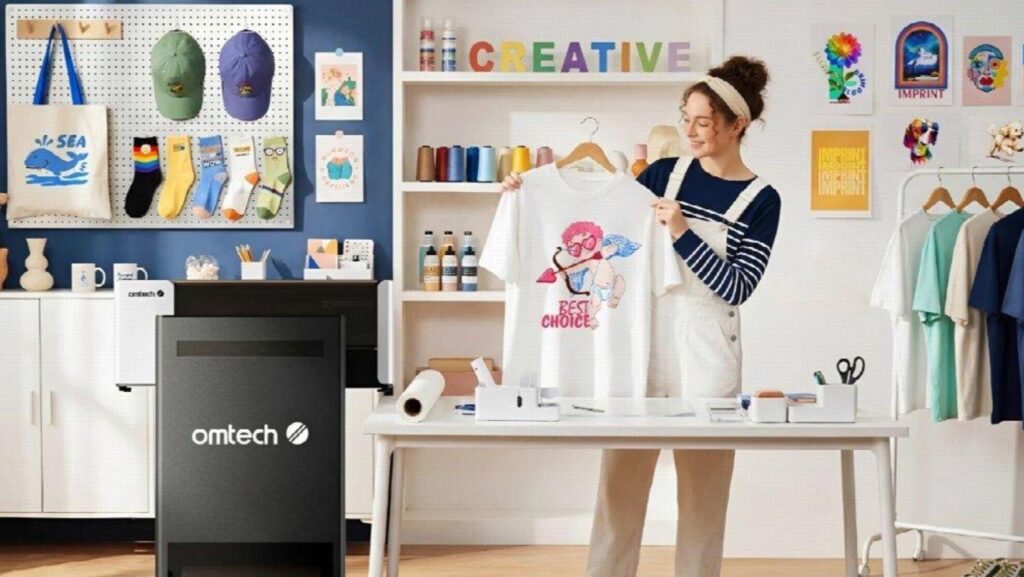
Nowadays, if you are starting a custom apparel business, it is pretty much a no-brainer that you are going to choose a DTF printing machine. But the real challenge is deciding which particular model best suits the size and demands of your business, as well as your level of skill and experience at this point. With so many different DTF printer models out there, you have to be very clear on which features are worth paying for, how much printing capacity you actually need, and which costs to consider before making an investment.
But here is the good news: you do not need an industrial printing system to get started. What you need is a DTF printer that delivers consistent results, fits your production goals, and makes daily operation manageable as you develop your skills.
In this brief guide, we will take you through what beginners should look for when buying a DTF printer and why you may want to at least add the OMTech DTF Printer to the list of DTF printers to launch your business with.
1. First, Understand What It Is About DTF Printing That Makes It Suitable for Beginners
First, let’s go through the basics again: DTF printing allows you to print colorful designs onto a special PET film, apply hot-melt adhesive powder, cure the adhesive, and transfer the finished design onto fabric using a heat press.
Unlike some other apparel decoration methods, DTF printing works with cotton, polyester, and many fabric blends. It also allows you to create vibrant designs on dark garments by printing a white ink underbase beneath the colors.
For a beginner, this versatility creates several business opportunities. You could produce personalized T-shirts, branded workwear, hoodies, tote bags, team apparel, and promotional merchandise without buying separate printing equipment for every fabric type.
DTF printing is also suitable for short production runs. If a customer orders five customized shirts rather than 500 identical garments, you can produce the designs without preparing screens as you would with traditional screen printing.
However, remember that a DTF printer is only one part of the process. You will also need compatible ink, transfer film, adhesive powder, a curing method, RIP software, and a suitable heat press. Understanding the complete workflow before buying will help you avoid unexpected expenses.
2. Choose the Right Print Width and Production Capacity
One of the first things to consider is how large your designs need to be and how many orders you expect to complete. A narrow printer may be sufficient if you mainly produce small logos, children’s clothing designs, and personalized accessories. However, if you plan to print full-chest graphics, larger hoodie designs, or multiple graphics arranged on one sheet, additional print width gives you more flexibility.
For example, a printer supporting 15-inch-wide transfer film can accommodate larger designs and allow you to arrange multiple smaller graphics on the same roll. This arrangement, commonly called a gang sheet, can help reduce unused film and simplify production.
Production speed matters, too. A machine that handles occasional orders may become frustrating if you begin receiving dozens of orders each week. Consider your expected workload, but avoid paying for industrial-level capacity you will not use.
The goal is to choose a printer that meets your current needs without unnecessarily limiting your future growth.
3. Pay Attention to White Ink Management
White ink is essential for producing vibrant DTF transfers on dark fabrics. However, its pigment can settle over time, creating maintenance challenges if the ink is not managed properly.
Poor white ink management can contribute to clogged nozzles, uneven coverage, wasted film, and inconsistent results. For beginners, these problems can be particularly frustrating because diagnosing them requires experience.
Look for a printer with white ink circulation and automatic stirring. These systems help keep the pigment moving rather than allowing it to settle in the ink supply.
Automatic printhead cleaning and moisturizing functions are also useful. They help maintain the printhead between jobs and reduce the amount of routine intervention required.
These features do not eliminate maintenance altogether. You must still follow the manufacturer’s cleaning schedule, use compatible inks, and keep the machine operating under recommended conditions. Nevertheless, automated maintenance can make the learning process more manageable.
4. Consider Print Quality, Software, and Ease of Use
A good beginner DTF printer should produce sharp text, clean edges, and vibrant colors. These qualities matter when printing detailed logos, small lettering, and colorful artwork for customers.
Check the printer’s supported resolution, printhead specifications, ink configuration, and color-management capabilities. Remember that maximum resolution alone does not guarantee excellent results; ink quality, print settings, film, and curing also influence the finished transfer.
You should also investigate the software requirements before purchasing. RIP software manages tasks such as color processing, white ink layers, image placement, and print settings.
Some printers require Windows-compatible software, while others support different operating systems. Confirm compatibility with your existing computer and learn whether the manufacturer provides setup instructions or training resources.
Finally, investigate the availability of replacement parts, consumables, technical assistance, and maintenance guidance. Reliable support can save time when you encounter your first printing problem.
5. Calculate the Total Cost Before Buying
The purchase price is only part of your initial investment. Before choosing a machine, calculate the cost of the complete setup, including the heat press, film, ink, adhesive powder, curing equipment, software, and workspace preparation.
You should also estimate the ongoing cost per transfer. Divide the cost of the materials used by the number of usable transfers produced, then account for failed prints, packaging, labor, and other business expenses.
For example, if you plan to sell customized shirts, compare your estimated production cost with the price customers in your target market are willing to pay. This will help you determine whether your expected sales volume can support the investment.
Avoid choosing a printer solely because it is inexpensive. A lower purchase price may be attractive, but frequent maintenance, limited print width, or inconsistent output can create additional costs over time.
The best choice is the machine that balances purchase price, dependable operation, production capacity, and the features you genuinely need.
Why Consider the OMTech Aurora D1 Series 15″ DTF Printer?
For beginners who want a dedicated DTF printing system with room to grow, the OMTech Aurora D1 Series 15″ DTF Printer offers several practical advantages.
1. You Get Epson Printhead Technology for Detailed Designs
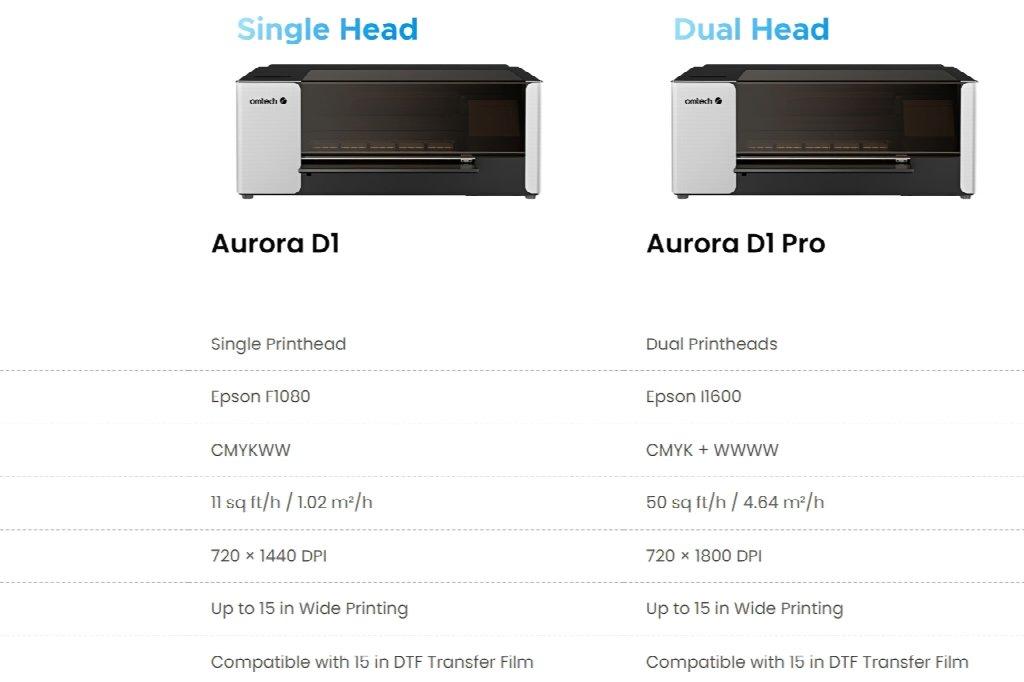
The Aurora D1 series uses Epson printhead technology to produce detailed CMYK color and white ink output. This makes it suitable for creating custom apparel graphics, colorful logos, and designs intended for light or dark fabrics.
The standard D1 uses a single Epson F1080 printhead, while the D1 Pro uses dual Epson I1600 printheads. Choosing between them depends on your budget and production requirements.
2. It Has 15-Inch Roll-Fed Printing
The printer supports transfer film up to 15 inches wide, giving you flexibility when producing full-chest graphics, hoodie designs, and multiple smaller transfers arranged on a gang sheet.
Roll-fed printing also provides a practical workflow for businesses producing repeated orders. Rather than being restricted to small individual sheets, you can organize designs along a roll according to your production needs.
3. The Machine Provides Automated White Ink Management
The Aurora D1 series includes white ink circulation and automatic stirring to help manage pigment settlement. It also features timed printhead cleaning and automatic moisturizing.
- The maintenance system can support standby periods of up to two weeks when the printer remains powered on and the recommended procedures are followed. This can be useful for a small business whose workload varies throughout the week.
- The printer also provides low-ink and waste-ink alerts, while electric ink refilling helps simplify ink management.
For a first-time operator, these features can reduce some of the routine maintenance burden. They do not remove the need to learn proper printer care, but they help make maintenance a more structured part of the workflow.
4. You Get A Variety of Configurations as Your Business Grows
The standard Aurora D1 prioritizes a more accessible production setup, with a listed maximum printing speed of approximately 11 square feet per hour. The D1 Pro increases production capacity, with a listed maximum speed of approximately 50 square feet per hour.
- Actual speeds depend on print settings and operating conditions. Nevertheless, having two configurations makes it easier to select a machine based on your expected workload instead of paying for additional capacity you may not need immediately.
- The Aurora D1 series is compatible with cotton, polyester, and fabric blends, making it suitable for businesses that want to offer different types of customized apparel.
Before ordering, review the available configurations and confirm whether the selected package includes a powder shaker and curing equipment. You will still need a suitable heat press to transfer your designs onto garments.
Start Your DTF Printing Business with the Right Equipment
Choosing your first DTF printer requires more than comparing prices or advertised printing speeds. You need to consider print width, white ink management, maintenance requirements, software compatibility, consumable costs, and the complete transfer workflow.
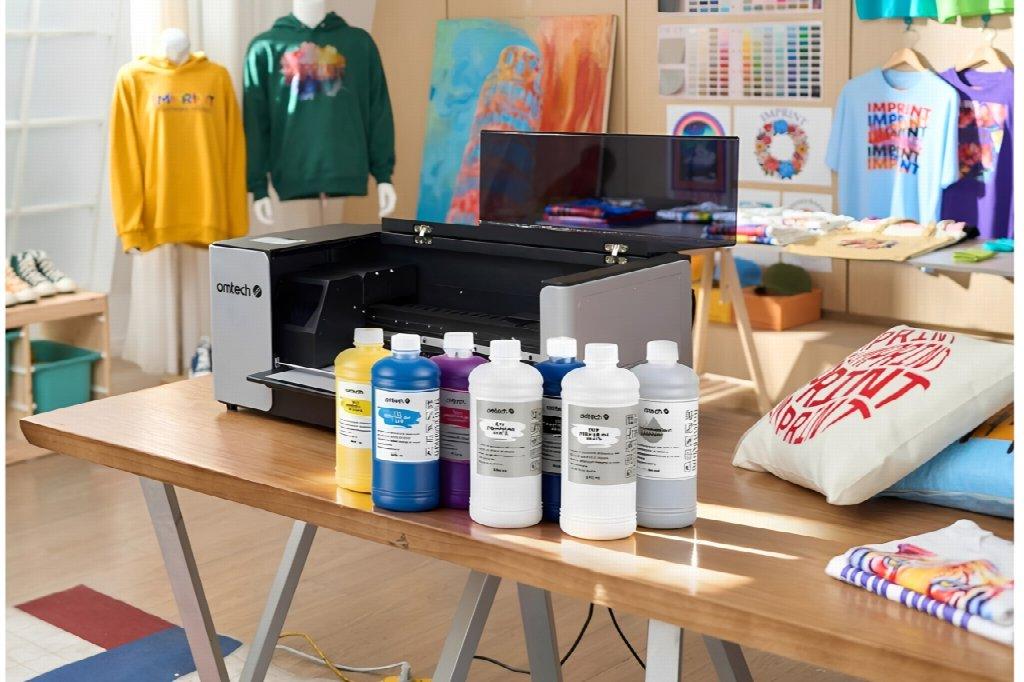
The OMTech Aurora D1 Series 15″ DTF Printer brings together Epson printhead technology, roll-fed printing, and automated ink-management features in a system designed for custom apparel production. Its available configurations also give buyers options depending on their production goals.
If you are preparing to launch a custom T-shirt business, personalize garments for local customers, or expand an existing printing operation, explore the OMTech Aurora D1 Series to compare the available models and determine which configuration best fits your needs.